|
OvrvisionSDK
2.00
|
|
OvrvisionSDK
2.00
|
The demonstration which does AR.
AR機能を使います。
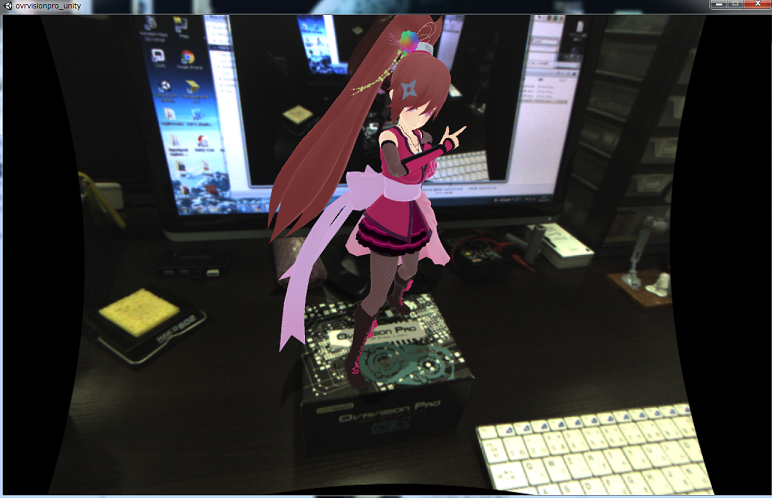
If program is started, please look the package of OvrvisionPro.
It is completion when a character appears.
プログラムを起動したら、OvrvisionProのパッケージを見ます。
キャラクターが出現したら完了です。
The demonstration which does Tracking of the finger.
指をトラッキングする機能を使います。
If program is started, please start the calibration for Tracking by the "H" key.
プログラムを起動したら「H」キーでトラッキング用キャリブレーションを開始します。
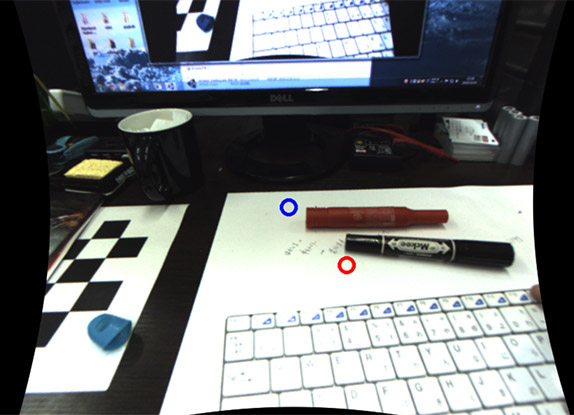
Like an image, you combine with the cap of the Tracking color, and red beige blue.
画像のように、青色にトラッキング色のキャップ、赤色に肌色に合わせます。
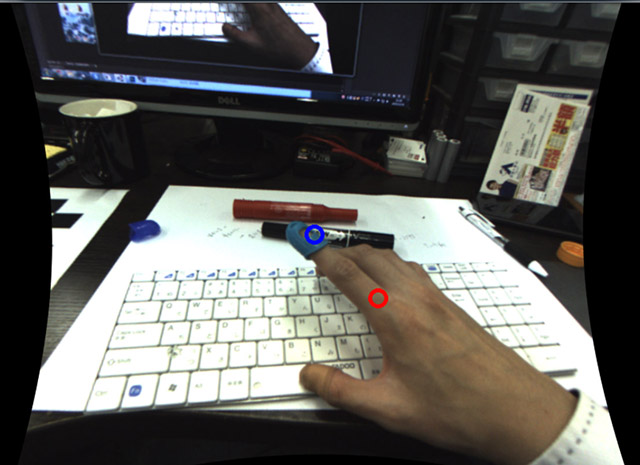
Please press and set the "SPACE" key.
When it cannot do well, you press and reset a key repeatedly. 「SPACE」キーを押してセットします。
上手くいかなかった場合は、何度もキーを押してリセットします。
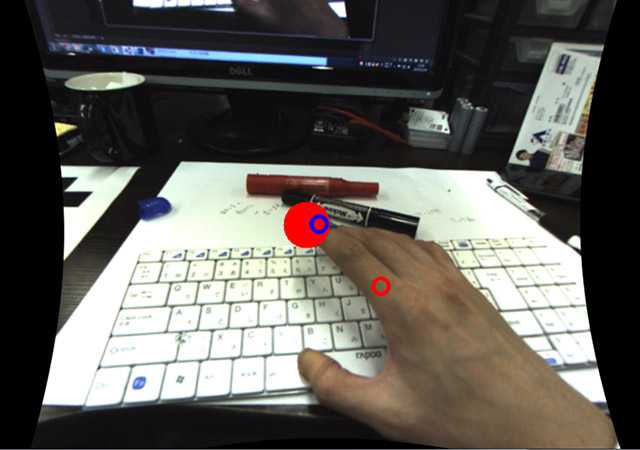
It is completion when a red marker appears in the finger. 指に赤いマーカーが表示されたら完了です。
 1.8.10
